This page is under construction
Please test the AV equipment before presenting and review the PDF download below. Familiarizing yourself with how the equipment ensures your computer works with the equipment.
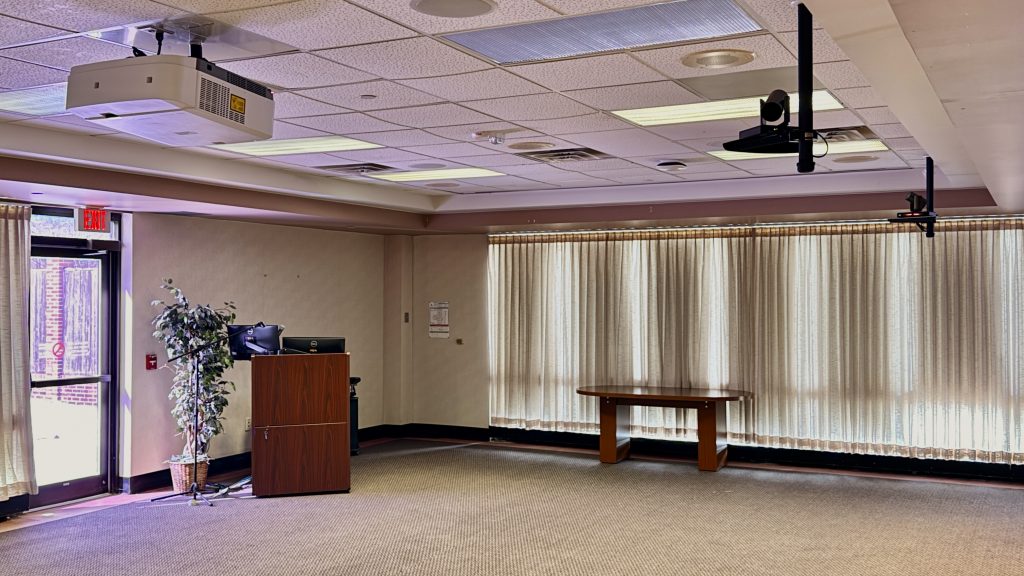
Click the WisPIC room number below to read about the equipment
In March 2026, SMPH replaced the equipment in room 1616. The system was simplified and now supports all conference software, namely Teams, Zoom, and Webex.
What to expect at the podium:
- USB-C adapter that works with both Mac and Windows computers
- A power strip to charge a laptop
Optional equipment in case you do not have a computer:
- An SMPH-managed computer with dual monitors that can be used with a University NetID – hospital and guest accounts are not supported at this time
Download the cheat sheet for how to use the AV equipment in the room: Commons AV Equipment Cheat Sheet
macOS – AirPlay
- On the remote, press the green button in the top right
- Press Input on the middle left.
- Press the select/enter button to select AirPlay on the television.
- In the menu bar, click the notifications icon and click Screen Mirroring (or the icon with the interlocked rings).
- A drop down menu will appear where you’ll click 1219 Bird Room.
- When prompted, enter the code to finish linking your Mac.